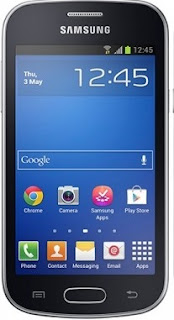
Qmobile L7 SPD6531 Flash File


Phone found! [ 185 ]
Port Opened
Sync...
InitBoot Done [ 0x81 ] , Ver : SPRD3
Sync...
Sending boot ... 
Boot Sent , starting...
Boot Ver : Spreadtrum Boot Block version 1.2
Boot Ok
CPU ID : 6531 , FDLStat : 0100
[0] Flash DIE : 00EF 0040 0016 0000
[0] Flash VEN : Winbond , W25Q32
[0] Flash CAP : 00400000
Read Flash Content
Read Ok , collect info
Set FileInfo : 
Model Vendor : SPRD6531
Model Name   : Qmobile L7
Saved to : 
[post_ad]
How To Flash:
its a bin flash file and you can flash it with any flashing box or flash tool which is support to flash SPD6531 Chip.
Done!

Calme Spark S24 MT6572 Firmware

Inital Boot Ok!
BB_CPU_PID : 6572
BB_CPU_NME : [MediaTek] MT6572_S00
BB_CPU_EXT : 0xCA01 , 0x8A00 , 0x0000
Processing BROM stage
Settings for BROM configured!
SecCfgVal : 0x00000000
BromVer   : 0x00FF
BLVersion : 0x0001
PreLoader : Active [ Boot with PL ]
BootLdrSS : NORMAL with SPRELOADER
Processing DA stage
DA Select done, will use MTK_AllInOne_DA_v5.1624.16.07
Sending and initialize DA ...
Running DA ver.4.2 on BBID : 0x88
NAND Flash : NOT INSTALLED
eMMC Flash : 1101003030344745300117DE2D2252BD
Initialize Memory ... 
DRAM already initialized by Preloader
DAgent sent , init HW now
eMMC FlashIC initialized
[eMMC] : FLASH_VEN : 0x11 , OEM : 0100
[eMMC] : FLASH_INF : [TOSHIBA] , 0EG40
[eMMC] : FLASH_CID : 1101003030344745300117DE2D2252BD
[eMMC] : FLASH_BRT : 0x00200000 , 0x00200000 , 0x00080000
[eMMC] : FLASH_LEN : 0x00000000EC000000
[eMMC] : FLASH_UCP : 3776 MiB [eMMC 4 GiB]
DEV RID    : 0x0D22E228CC33F3CB6007B63A2EA98745
INT RAM    : 0x00020000
EXT RAM    : 0x20000000 [512 MiB]
BOOT TYPE  : EMMC_FLASH_BOOT
SOC VERIFY : C1
Boot Ok!

Reading Flash Content now ... 

Brand     : SPARK
ProdName  : S24
ProdModel : SPARK S24
Device    : S24
AndroidVer: 4.4.2
MTKxCPU   : MT6572
MTKxPRJ   : ALPS.KK1.MP7.V1

[Read Ok] : preloader_fars72_w_kk.bin
[Read Ok] : MBR
[Read Ok] : EBR1
[Read Ok] : lk.bin
[Read Ok] : boot.img
[Read Ok] : recovery.img
[Read Ok] : secro.img
[Read Ok] : logo.bin
[Read Ok] : system.img
[Read Ok] : cache.img
[Read Ok] : userdata.img

[ScatCFG] : MT6572 / V1.1.1 / fars72_w_kk / EMMC
Android Info saved
MAUI Meta DB saved
HWConfig Info saved
FW Size : 759 MiB
Scatter saved to :
Free firmware Without password
[post_ad]
How To Flash:
  • Its a Scatter file you can flash it with SP Flash Tool or any Flasher Box 
  • Select “scatter-Loading” and Slect MT65XX_Android_scatter.txt in folder
  • Wait file to be added into Flash Tool Or Any Flashing box
  • Select “Download Only” or if upgrade “Firmware upgrade” in Flash Tool
  • Turn off your phone
  • Press “Download” Button to start
  • And connect your phone with PC via USB data cable.
  • The process will start and a red progress bar will appear after color purple, yellow.
  • And green circles display
  • Finish !
  • You can now safely disconnect your phone and turn it on.
  • its Done..!
Full Tutorial Here
Join Us For Updates!

Samsung GT-S7582 MT6575 Firmware

Phone found! [ 21 ]
Sync...
Inital Boot Ok!
BB_CPU_PID : 6575
BB_CPU_NME : [MediaTek] MT6575|MT6577_S00
BB_CPU_EXT : 0xCB00 , 0x8A00 , 0xE201
Processing BROM stage
i2c Init : 00000000
SpeedSet : 0000
VChrgSet : 0x28 , BatStat : 0x82
WD Disable stat : 0x0000
Settings for BROM configured!
SecCfgVal : 0x00000000
BromVer   : 0x00FF
BLVersion : 0x0001
PreLoader : Active [ Boot with PL ]
BootLdrSS : NORMAL with SPRELOADER
Processing DA stage
DA Select done, will use MTK_AllInOne_DA_v5.1624.16.07
Sending and initialize DA ...
Running DA ver.3.2 on BBID : 0x84
Initialize Memory ... 
DRAM already initialized by Preloader
DAgent sent , init HW now
eMMC FlashIC initialized
[eMMC] : FLASH_VEN : 0x15 , OEM : 0100
[eMMC] : FLASH_INF : [SAMSUNG] , M00SJ
[eMMC] : FLASH_CID : 150100534A5330304D009CEF0D27CF39
[eMMC] : FLASH_BRT : 0x00100000 , 0x00100000 , 0x00020000
[eMMC] : FLASH_LEN : 0x00000000E9000000
[eMMC] : FLASH_UCP : 3728 MiB [eMMC 4 GiB]
DEV RID    : 0x0D22E2285D00A7F22E2A6E40AF318485
INT RAM    : 0x00020000
EXT RAM    : 0x20000000 [512 MiB]
BOOT TYPE  : EMMC_FLASH_BOOT
SOC VERIFY : C1
Boot Ok!

Reading Flash Content now ... 

ProdName  : GT-S7582
ProdModel : GT-S7582
Device    : GT-S7582
AndroidVer: 4.2.2
MTKxCPU   : MT6575
MTKxPRJ   : ALPS.JB.MP.V1.16

[Read Ok] : preloader_hexing75_jb.bin
[Read Ok] : DSP_BL
[Read Ok] : MBR
[Read Ok] : EBR1
[Read Ok] : lk.bin
[Read Ok] : boot.img
[Read Ok] : recovery.img
[Read Ok] : secro.img
[Read Ok] : logo.bin
[Read Ok] : EBR2
[Read Ok] : system.img
[Read Ok] : cache.img
[Read Ok] : userdata.img

[ScatCFG] : MT6575 / V1.0.0 / hexing75_jb / EMMC
Android Info saved
MAUI Meta DB saved
HWConfig Info saved
FW Size : 554 MiB
Scatter saved to : 
Free firmware Without password
[post_ad]
How To Flash:
  • Its a Scatter file you can flash it with SP Flash Tool or any Flasher Box 
  • Select “scatter-Loading” and Slect MT65XX_Android_scatter.txt in folder
  • Wait file to be added into Flash Tool Or Any Flashing box
  • Select “Download Only” or if upgrade “Firmware upgrade” in Flash Tool
  • Turn off your phone
  • Press “Download” Button to start
  • And connect your phone with PC via USB data cable.
  • The process will start and a red progress bar will appear after color purple, yellow.
  • And green circles display
  • Finish !
  • You can now safely disconnect your phone and turn it on.
  • its Done..!
Full Tutorial Here
Join Us For Updates!

Haier i95 MT6735 Firmware 5.1


Haier Esteem i95 MT6735 Firmware 5.1 

Wait for phone...
Phone found! [ 21 ]
Sync...
Inital Boot Ok!
BB_CPU_PID : 6735
BB_CPU_NME : [MediaTek] MT6735_S00
BB_CPU_EXT : 0xCA00 , 0x8A00 , 0x0000
Processing BROM stage
Settings for BROM configured!
SecCfgVal : 0x00000000
BromVer   : 0x00FF
BLVersion : 0x0001
PreLoader : Active [ Boot with PL ]
BootLdrSS : NORMAL with SPRELOADER
Processing DA stage
DA Select done, will use MTK_AllInOne_DA_v5.1624.16.07
Sending and initialize DA ...
Running DA ver.4.2 on BBID : 0x93
NAND Flash : NOT INSTALLED
eMMC Flash : 520001154D4231327B0306424D1B6FD0
Initialize Memory ... 
DRAM already initialized by Preloader
DAgent sent , init HW now
eMMC FlashIC initialized
[eMMC] : FLASH_VEN : 0x15 , OEM : 0100
[eMMC] : FLASH_INF : [SAMSUNG] , BMB12
[eMMC] : FLASH_CID : 150100523231424D4206037BD06FB24D
[eMMC] : FLASH_BRT : 0x00400000 , 0x00400000 , 0x00400000
[eMMC] : FLASH_LEN : 0x0000000747C00000
[eMMC] : FLASH_UCP : 29820 MiB [eMMC 32 GiB]
DEV RID    : 0x0D22E2287221E9D235A9A15585CA68D6
INT RAM    : 0x00020000
EXT RAM    : 0xC0000000 [3 GiB]
BOOT TYPE  : EMMC_FLASH_BOOT
SOC VERIFY : C1
Boot Ok!

Reading Flash Content now ... 

xGPT : Normalize settings Ok!

Brand     : Haier
ProdName  : Haier i95
ProdModel : HM-N501-FL
Device    : Haier_i95
AndroidVer: 5.1
MTKxCPU   : MT6735
MTKxPRJ   : ALPS.L1.MP3.V2_VANZO6735.65U.L1_P66

[Read Ok] : preloader_n335b.bin
[Read Ok] : lk.bin
[Read Ok] : boot.img
[Read Ok] : recovery.img
[Read Ok] : logo.bin
[Read Ok] : secro.img
[Read Ok] : tz1.img
[Read Ok] : tz2.img
[Read Ok] : system.img
[Read Ok] : cache.img
[Read Ok] : userdata.img

[ScatCFG] : MT6735 / V1.1.2 / n335b / EMMC
Android Info saved
MAUI Meta DB saved
HWConfig Info saved
FW Size : 2490 MiB
Scatter saved to :
Free firmware Password: Gsm Marhaba
[post_ad]
How To Flash:
  • Its a Scatter file you can flash it with SP Flash Tool or any Flasher Box 
  • Select “scatter-Loading” and Slect MT65XX_Android_scatter.txt in folder
  • Wait file to be added into Flash Tool Or Any Flashing box
  • Select “Download Only” or if upgrade “Firmware upgrade” in Flash Tool
  • Turn off your phone
  • Press “Download” Button to start
  • And connect your phone with PC via USB data cable.
  • The process will start and a red progress bar will appear after color purple, yellow.
  • And green circles display
  • Finish !
  • You can now safely disconnect your phone and turn it on.
  • its Done..!
Full Tutorial Here
Join Us For Updates!

Qmobile Power 12 Flash file


Phone found! [ 112 ]
Sync...
Sync Ok, read regs...
Inital regs read done
Boot Info : 
BB_CPU_ID : 6261
BB_CPU_HW : CB01
BB_CPU_SW : 0001
BB_CPU_SB : 8000
BB_CPU_NM : [MediaTek] MT6261_S0000
BB_CPU_SN : 55F9FF6FD6E4DF69287FF486831B1112
BROM Protocol Version : 05
Setting...
Setting done , result code 0x000E
BROM stage done
Seek and prepare DownloadAgent
DownloadAgent matching HW Found!
DA verify and select done
Sending DA to target ...
DA_INFO   : 0xC0 , Ver : 3.2 , BBID : 0x8E
DA_CSTAT  : 0x5A
SOC_VERIFY : 0xC1
BOOT_STYLE : SF_FLASH_BOOT
NOR Flash IC initialized
[0] : FLASH_VEN : 0x0112 , [MXIC] MX25L3291FWJI_09
[0] : FLASH_DIE : 00C2 0020 0016 0000 
[0] : FLASH_LEN : 0x00300000
INT_RAM : 0x0000D000
EXT_RAM : 0x00400000
SDS_INFO : 0x002FE000 , 0x00002000
Reading Flash Content now ... 

Read Flash now
Read Ok , 3145728 bytes read
Check and collect compile info
File_Info   : FARSIGHTED61M_11C_PCB01_gsm_MT6261_S00.QMOBILE_POWER_12_V06_21_10_2015.bin
FileVersion : QMobile_Power_12_V06_21_10_2015

[ScatCFG] : MT6261 / QMobile_Power_12_V06_21_10_2015 / NOR , SF
Firmware saved to :
Free firmware Without password
[post_ad]
How To Flash MTK Feature Phone:
  • Its a Scatter file you can flash it with Flash Tool or any Flasher Box 
  • Select “scatter-Loading” and Slect XXXX_cfg in folder
  • Wait file to be added into Flash Tool Or Any Flashing box
  • Turn off your phone
  • Press “Download” Button to start
  • And connect your phone with PC via USB data cable.
  • The process will start and a red progress bar will appear after color purple, yellow.
  • And green circles display
  • Finish !
  • You can now safely disconnect your phone and turn it on.
  • its Done..!
Join Us For Updates!

Lenovo S850 MT6582 Firmware


Preloader_scofield_row.bin
Free firmware Without password
[post_ad]
How To Flash:
  • Its a Scatter file you can flash it with SP Flash Tool or any Flasher Box 
  • Select “scatter-Loading” and Slect MT65XX_Android_scatter.txt in folder
  • Wait file to be added into Flash Tool Or Any Flashing box
  • Select “Download Only” or if upgrade “Firmware upgrade” in Flash Tool
  • Turn off your phone
  • Press “Download” Button to start
  • And connect your phone with PC via USB data cable.
  • The process will start and a red progress bar will appear after color purple, yellow.
  • And green circles display
  • Finish !
  • You can now safely disconnect your phone and turn it on.
  • its Done..!
Full Tutorial Here
Join Us For Updates!

Sony 4G-LTE MT6582 firmware


Free firmware Without password
[post_ad]
How To Flash:
  • Its a Scatter file you can flash it with SP Flash Tool or any Flasher Box 
  • Select “scatter-Loading” and Slect MT65XX_Android_scatter.txt in folder
  • Wait file to be added into Flash Tool Or Any Flashing box
  • Select “Download Only” or if upgrade “Firmware upgrade” in Flash Tool
  • Turn off your phone
  • Press “Download” Button to start
  • And connect your phone with PC via USB data cable.
  • The process will start and a red progress bar will appear after color purple, yellow.
  • And green circles display
  • Finish !
  • You can now safely disconnect your phone and turn it on.
  • its Done..!
Full Tutorial Here
Join Us For Updates!