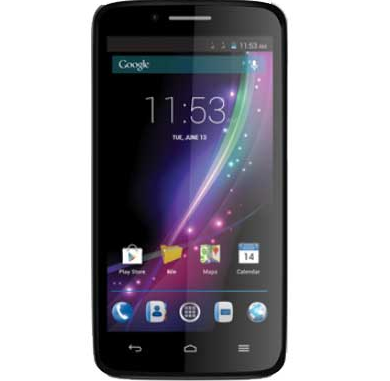
Carbon Rom for MTK6592

Carbon Rom is based on Cyanogenmod.

Rom Info:
  • Rom Name: Carbon Rom
  • Chipset: MTK6592
  • Android Version: Kitkat
Working Features:
  • Camera
  • 3G working
  • Hotspot
  • Bluetooth pairing with other devices but Headset not working
  • FM Radio
  • Storage [internal/external]
  • Gaaps Supported
  • CM theme
  • OTG
  • GPS
Performance:
  • Battery backup
  • Ram usages
  • Sensor
Not Working:
  • 3G switch
  • VPN

Screenshot:


Credit:
Fire855
tirthpatel
tls


Always take backup your current rom before flash
Need to port for your device before flash


Flash process:
Reboot to Recovery Mode >

Wipe data/factory reset
Wipe cache partition

               1. Format data
               2. Format system
               3. Format cache
               4. Wipe dalvik cache


Select
Install zip from sdcard > Choose zip from sdcard
Select Rom zip file.


N.B. : All the Things do at your won Risk. I will not be responsible for any kind of Brick/Damage of your phone.


[CyanogenMod 13] Custom Rom for MTK6580

This is an unofficial Cyanogenmod 13 for MT6580 devices.

Rom Info:
  • Rom Name: Cyanogenmod
  • Rom Version: 13
  • Android Version: 6 [Marshmallow]
  • Chipset: MT6582
  • Kernel: 3.18.19
Working Features:
Below are some working features of cyanogenmod but not limited to.

  • Hotspot
  • Audio
  • Camera
  • GPS 
  • Mobile Data
  • Wifi
  • USSD
  • Gapps
  • Mic
  • Bluetooth
  • Storage 
Screenshot:


Rom Link

Port Rom before flash

Always take backup your current rom before flash
Need to port for your device before flash


Flash process:
Reboot to Recovery Mode

Wipe data/factory reset

Wipe cache partition

               1. Format data

               2. Format system
               3. Format cache
               4. Wipe dalvik cache


Select

Install zip from sdcard Choose zip from sdcard
Select Rom zip file.


N.B. : All the Things do at your won Risk. I will not be responsible for any kind of Brick/Damage of your phone.


MIUI 8 Global Beta Rom for MT6592


Rom Info:
  • Rom Name: MIUI
  • MIUI Version: 6.7.5
  • Chipset: MTK6592
  • Android Version: 4.4.2
  • Device Name: Micromax A310/A311

Features:
  • Introducing MI lanting system font
  • Scrolling Screenshot
  •  New Design, Calculator, Scanner
  • Wallpaper carousel 
  • New battery saver
  • Recognition for fraudulent message
  • Smart text editing menu
  • Unlock all apps at once
  • Three finger gesture screenshot
  • Improved sharing
  • Redesigned Gallery and Task manager
  • Special effects for video editing

Screenshot:


[Reboot after booting once]
Super SU

Xposed Framework
Xtended Reboot [for using recovery mode from power menu]
MIUI Tweaks

Credit: 
Tirth patel
MIUI Devs


Always take backup your current rom before flash
Need to port for your device before flash


Flash process:
Reboot to Recovery Mode >

Wipe data/factory reset

Wipe cache partition

               1. Format data
               2. Format system
               3. Format cache
               4. Wipe dalvik cache


Select

Install zip from sdcard > Choose zip from sdcard
Select Rom zip file.


N.B. : All the Things do at your won Risk. I will not be responsible for any kind of Brick/Damage of your phone.


Samsung Mobile Firmware Downloader (Samfirm) V1.0 Download Free

We have shared latest setup of Samsung mobile firmware downloader. It lets you find and download latest firmware for Samsung devices. If you absolutely need to have the latest software on your Samsung phones, we can show you how to get the latest OS update. These updates often include new features and performance improvements, so it’s worth your while to have the latest version of Android that’s available. Generally you’ll get a notification when an update is ready to download, but if you’re particularly antsy or you know there’s an update and you have received a notification, you can check manually. Samsung has plans to push Tizen OS (in this specific case it’s called Tizen for IoT) to more devices that will complete its IoT ecosystem.
samsung-firmware-downloader-samfirm

According to various sources we should soon see Tizen OS powered vacuum cleaners, home appliances and more.  With support of Samsung IoT Hub we should soon see a fully featured tools. The latest setup of Samsung firmware downloader from below download links. The downloading process may take up to 3-5 minutes. Do not cancel the download process until it should not complete. Now you can download latest setup of Samsung Firmware Download (Samfirm) from below download links.
Download links
Samfirm (Samsung firmware downloader) Download

How To Unlock Bootloader Huawei CUN-U29

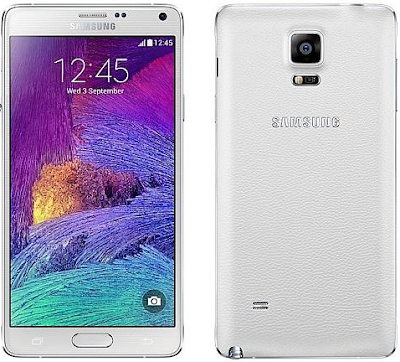
Samsung Galaxy Note 4 (SM-N910G/910C) Lollipop Firmware - Stock Rom - Flash File Download Free

The latest firmware of Samsung Galaxy Note 4 has been released and free download links are available for download. You can use it for flashing your phone. Simply download it by managing below download links. You will need to flash your phone at those stage if phone is working slow or the firmware of phone has corrupted. Here is the complete guide to flash the Samsung Galaxy Note 4 (All Variants) to recover from a bootloop of if you just want to go back to stock from the rooted device to get OTA updates. If you are the Galaxy Note 4 users and rooted your device to install custom ROMS or facing some major problem with your device, in this guide we’ll show you how you can easily go back to the Stock Firmware and get the OTA updates on your note 4. You will need to follow simple points before flashing of your phone.
  • First of all download the latest firmware of your phone
  • Download Odin or other flashing tool which you want to use as a flasher
  • Unzip Odin on your computer and install it.
  • Unzip firmware zip file in the same folder as Odin.
  • Switch your Samsung Galaxy Note 4 off and boot it in Download mode: press and hold Volume Down, Power and Home buttons together.
  • Launch Odin on your PC.
  • Connect your smartphone with computer. When connected successfully, you will get a message in Odin saying Added!! If you don’t receive this message, try a different port or re-install the drivers.
This guide will work on all the Galaxy Note 4 (All Variants). The guide is pretty simple all you need a windows PC, Latest Samsung USB drivers, ODIN flash Tool and the Galaxy Note 4 Stock Firmware.  Samsung Galaxy Note 4 has finally received the new Android 5.1.1 OTA update.
samsung-galaxy-note-4-firmware

You can now update your smartphone to the very latest Android N910T3UVU1DOFC 5.1.1 update for Galaxy Note 4. If you don’t want to wait for the official notification to arrive on your phablet, here is how to manually flash N910T3UVU1DOFC Android 5.1.1 on Samsung Galaxy Note 4. You will also have to flash the latest OS update manually if you have rooted your Note 4 and have a custom ROM running on it. Now you can download latest firmware of your phone from below download links. The download links are tested and 100% free of cost.
Download links
Samsung Galaxy Note 4 Firmware Download

Voice Xtreme V40 Flash File - Firmware - Stock ROM - NeedROM Download Free

Now get free firmware of Voice Xtreme V40 by managing below download links. The download links are 100% working. We are always sharing original firmware download links. Firmware of mobile does at those stage if phone is working slow or completely break with the reason of its outdated firmware. After successful flashing your phone will restore in its original settings and you will lose your data. You can restore your data after successful flashing. Their are several flashing tools and boxes which helps you in flashing.
  • UFS box
  • Infinity box
  • Turbo flasher
  • Miracle box
  • Piranha box
  • China king box
  • Octopus box
If you have little bit an experience in flashing, you can easily use it manually. 
voice-xtreme-v40-flash-file

Before flash please don't forget to take a backup of your data otherwise you will lose it and phone will restore in its original settings. Now just follow the below download links to get latest firmware of your phone.
Download links