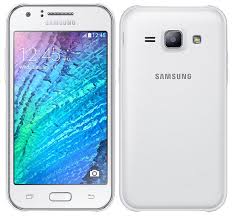
Samsung Grand 2 SM-G7106 MT6572 Firmware

Inital Boot Ok!
BB_CPU_PID : 6572
BB_CPU_NME : [MediaTek] MT6572_S00
BB_CPU_EXT : 0xCA01 , 0x8A00 , 0x0000
Processing BROM stage
Settings for BROM configured!
SecCfgVal : 0x00000000
BromVer   : 0x00FF
BLVersion : 0x0001
PreLoader : Active [ Boot with PL ]
BootLdrSS : NORMAL with SPRELOADER
Processing DA stage
DA Select done, will use MTK_AllInOne_DA_v5.1552.01.01
Sending and initialize DA ...
Running DA ver.4.2 on BBID : 0x88
NAND Flash : NOT INSTALLED
eMMC Flash : 110100303034473930515F0D5441A08D
Initialize Memory ... 
DRAM already initialized by Preloader
eMMC FlashIC initialized
[eMMC] : FLASH_VEN : 0x11 , OEM : 0100
[eMMC] : FLASH_INF : [TOSHIBA] , 09G40
[eMMC] : FLASH_CID : 110100303034473930515F0D5441A08D
[eMMC] : FLASH_BRT : 0x00200000 , 0x00200000 , 0x00080000
[eMMC] : FLASH_LEN : 0x00000000EC000000
[eMMC] : FLASH_UCP : 3776 MiB [eMMC 4 GiB]
DEV RID    : D9BB287A087368DDD382BB1C0F5C6DE3
INT RAM    : 0x00020000
EXT RAM    : 0x20000000
BOOT TYPE  : EMMC_FLASH_BOOT
SOC VERIFY : C1
Boot Ok!

Initial info read Ok!
Brand     : samsung
ProdName  : lcsh72_we_jb3
ProdModel : Samsung Galaxy S IV(I950X)
Device    : lcsh72_we_jb3
AndroidVer: 4.4.2
MTKxCPU   : MT6572
MTKxPRJ   : ALPS.JB3.MP.V1
EXTRA : 
LCD [0] : ILI9806E_dsi_vdo
LCD [1] : nt35510_fwvga
LCD [2] : nt35512_fwvga_boe
LCD Res : 854x480
TOUCH [0] : msg2138
TOUCH [1] : ft5316
TOUCH [2] : GT9XX
CAM [0] : ov5645_pip_yuv
CAM [1] :  ov7695_yuv gc2035_yuv
MODEM : lcsh72_we_jb3_hspa_gps_co_clock
LOCALE : en_US zh_CN zh_TW es_ES hi_IN bn_BD fa_IR ru_RU pt_BR fr_FR de_DE tr_TR it_IT in_ID ms_MY vi_VN ar_EG  th_TH  pt_PT pl_PL nl_NL el_GR hu_HU tl_PH ro_RO cs_CZ iw_IL my_MM km_KH ko_KR hdpi

Password: Gsm.Marhaba
Free firmware
[post_ad]
How To Flash:
  • Its a Scatter file you can flash it with SP Flash Tool or any Flasher Box 
  • Select “scatter-Loading” and Slect MT65XX_Android_scatter.txt in folder
  • Wait file to be added into Flash Tool Or Any Flashing box
  • Select “Download Only” or if upgrade “Firmware upgrade” in Flash Tool
  • Turn off your phone
  • Press “Download” Button to start
  • And connect your phone with PC via USB data cable.
  • The process will start and a red progress bar will appear after color purple, yellow.
  • And green circles display
  • Finish !
  • You can now safely disconnect your phone and turn it on.
  • its Done..!
Full Tutorial Here
Join Us!


Samsung Note 4 N9100 MT6582 firmware

Inital Boot Ok!
BB_CPU_PID : 6582
BB_CPU_NME : [MediaTek] MT6582_S00
BB_CPU_EXT : 0xCB00 , 0x8A00 , 0x0000
Processing BROM stage
Settings for BROM configured!
SecCfgVal : 0x00000000
BromVer   : 0x00FF
BLVersion : 0x0001
PreLoader : Active [ Boot with PL ]
BootLdrSS : NORMAL with SPRELOADER
Processing DA stage
DA Select done, will use MTK_AllInOne_DA_v5.1624.16.07
Sending and initialize DA ...
Running DA ver.4.2 on BBID : 0x87
NAND Flash : NOT INSTALLED
eMMC Flash : 1501004B3758564D42015EADD81F7205
Initialize Memory ... 
DRAM already initialized by Preloader
DAgent sent , init HW now
eMMC FlashIC initialized
[eMMC] : FLASH_VEN : 0x15 , OEM : 0100
[eMMC] : FLASH_INF : [SAMSUNG] , BMVX7
[eMMC] : FLASH_CID : 1501004B3758564D42015EADD81F7205
[eMMC] : FLASH_BRT : 0x00400000 , 0x00400000 , 0x00080000
[eMMC] : FLASH_LEN : 0x00000001D2000000
[eMMC] : FLASH_UCP : 7456 MiB [eMMC 8 GiB]
DEV RID    : 0x0D22E2288F3D5C8116B3F9AF650A16F6
INT RAM    : 0x00020000
EXT RAM    : 0x40000000 [1 GiB]
BOOT TYPE  : EMMC_FLASH_BOOT
SOC VERIFY : C1
Boot Ok!

Reading Flash Content now ... 
Brand     : samsung
ProdName  : trlteduoszc
ProdModel : SM-N910F
Device    : trltechn
AndroidVer: 4.4.4
MTKxCPU   : MT6582
MTKxPRJ   : ALPS.KK1.MP1.V2.10
[Read Ok] : preloader_hct82_cwet_kk.bin
[Read Ok] : MBR
[Read Ok] : EBR1
[Read Ok] : lk.bin
[Read Ok] : boot.img
[Read Ok] : recovery.img
[Read Ok] : secro.img
[Read Ok] : logo.bin
[Read Ok] : EBR2
[Read Ok] : system.img
[Read Ok] : cache.img
[Read Ok] : userdata.img
[ScatCFG] : MT6582 / V1.1.1 / hct82_cwet_kk / EMMC
Android Info saved
MAUI Meta DB saved
HWConfig Info saved
FW Size : 949 MiB
Scatter saved to : C:\Users\MarhabaLab\Desktop\N9100\
preloader_hct82_cwet_kk.bin ( 113 Kb )
[post_ad]
Paid File: $3
Payment info: PayPal
JazzCash: 03156969696
Whatsapp+923136969696
How To Flash:
  • Its a Scatter file you can flash it with SP Flash Tool or any Flasher Box 
  • Select “scatter-Loading” and Slect MT65XX_Android_scatter.txt in folder
  • Wait file to be added into Flash Tool Or Any Flashing box
  • Select “Download Only” or if upgrade “Firmware upgrade” in Flash Tool
  • Turn off your phone
  • Press “Download” Button to start
  • And connect your phone with PC via USB data cable.
  • The process will start and a red progress bar will appear after color purple, yellow.
  • And green circles display
  • Finish !
  • You can now safely disconnect your phone and turn it on.
  • its Done..!
Full Tutorial Here
Join Us!


Samsung J1 SM-J100H MT6572 Firmware 4.4.2

Brand     : samsung
ProdName  : Galaxy J1
ProdModel : SM-J100H
Device    : j13g
AndroidVer: 4.4.2
MTKxCPU   : MT6572
MTKxPRJ   : ALPS.KK1.MP7.V1
[Read Ok] : preloader_keytak72_cwet_lca.bin
[Read Ok] : MBR
[Read Ok] : EBR1
[Read Ok] : lk.bin
[Read Ok] : boot.img
[Read Ok] : recovery.img
[Read Ok] : secro.img
[Read Ok] : logo.bin
[Read Ok] : system.img
[Make Ok] : cache.img
[Make Ok] : userdata.img
[ScatCFG] : MT6572 / V1.1.1 / keytak72_cwet_lca / EMMC
Android Info saved
MAUI Meta DB saved
HWConfig Info saved
FW Size : 927 MiB
Scatter saved to : C:\Users\Marhaba Lab\
preloader_keytak72_cwet_lca.bin ( 99.2KB )
Password: Gsm.Marhaba
Free firmware
[post_ad]
Mirrir Link Without Password
preloader_keytak72_cwet_lca.bin ( 99.2KB )

How To Flash:
  • Its a Scatter file you can flash it with SP Flash Tool or any Flasher Box 
  • Select “scatter-Loading” and Slect MT65XX_Android_scatter.txt in folder
  • Wait file to be added into Flash Tool Or Any Flashing box
  • Select “Download Only” or if upgrade “Firmware upgrade” in Flash Tool
  • Turn off your phone
  • Press “Download” Button to start
  • And connect your phone with PC via USB data cable.
  • The process will start and a red progress bar will appear after color purple, yellow.
  • And green circles display
  • Finish !
  • You can now safely disconnect your phone and turn it on.
  • its Done..!
Full Tutorial Here
Join Us!


Samsung J1 SM-J100H MT6572 Firmware 4.4.2

Brand     : samsung
ProdName  : Galaxy J1
ProdModel : SM-J100H
Device    : j13g
AndroidVer: 4.4.2
MTKxCPU   : MT6572
MTKxPRJ   : ALPS.KK1.MP7.V1
[Read Ok] : preloader_keytak72_cwet_lca.bin
[Read Ok] : MBR
[Read Ok] : EBR1
[Read Ok] : lk.bin
[Read Ok] : boot.img
[Read Ok] : recovery.img
[Read Ok] : secro.img
[Read Ok] : logo.bin
[Read Ok] : system.img
[Make Ok] : cache.img
[Make Ok] : userdata.img
[ScatCFG] : MT6572 / V1.1.1 / keytak72_cwet_lca / EMMC
Android Info saved
MAUI Meta DB saved
HWConfig Info saved
FW Size : 927 MiB
Scatter saved to : C:\Users\Marhaba Lab\
preloader_keytak72_cwet_lca.bin ( 99.2KB )
Password: Gsm.Marhaba
[post_ad]
Mirrir Link Without Password
preloader_keytak72_cwet_lca.bin ( 99.2KB )

How To Flash:
  • Its a Scatter file you can flash it with SP Flash Tool or any Flasher Box 
  • Select “scatter-Loading” and Slect MT65XX_Android_scatter.txt in folder
  • Wait file to be added into Flash Tool Or Any Flashing box
  • Select “Download Only” or if upgrade “Firmware upgrade” in Flash Tool
  • Turn off your phone
  • Press “Download” Button to start
  • And connect your phone with PC via USB data cable.
  • The process will start and a red progress bar will appear after color purple, yellow.
  • And green circles display
  • Finish !
  • You can now safely disconnect your phone and turn it on.
  • its Done..!
Full Tutorial Here
Join Us!


Samsung SM-G530 MT6572 Firmware 4.4.4

Initial info read Ok!
Brand     : samsung
ProdName  : SM-G5308W
ProdModel : SM-G5308W
Device    : SM-G5308W
AndroidVer: 4.4.4
MTKxCPU   : MT6572
MTKxPRJ   : ALPS.JB3.MP.V1
EXTRA : 
LCD [0] : hx8389b_qhd_dsi_vdo_cpt
LCD [1] : s6d78a0_qhd_dsi_vdo
LCD [2] : rm68191_qhd_dsi_vdo#hx8379c_dsi_vdo
LCD [3] : rm68172_dsi_vdo
LCD [4] : hx8369b_dsi_vdo
LCD [5] : nt35510_dsi_cmd_6572_fwvga
LCD [6] : otm8009a_fwvga_dsi_cmd
LCD [7] : #nt35510_dsi
LCD [8] : hx8369b_dsi_vdo
LCD Res : 960x540
TOUCH [0] : ft5206
TOUCH [1] : GT9XX
CAM [0] : s5k4ecgx_mipi_yuv
CAM [1] : gc2145mipi_yuv
CAM [2] : gc0328_yuv
MODEM : mbk72_wet_jb3_hspa_839
LOCALE : en_US es_ES ru_RU zh_CN pt_BR fr_FR de_DE tr_TR it_IT in_ID ms_MY vi_VN ar_EG fa_IR th_TH  pt_PT nl_NL el_GR hu_HU tl_PH ur_PK ro_RO cs_CZ iw_IL pl_PL my_MM km_KH hdpi -sw600dp -sw720dp

Reading Flash Content now ... 
Brand     : samsung
ProdName  : SM-G5308W
ProdModel : SM-G5308W
Device    : SM-G5308W
AndroidVer: 4.4.4
MTKxCPU   : MT6572
MTKxPRJ   : ALPS.JB3.MP.V1
[Read Ok] : preloader_mbk72_wet_jb3.bin
[Read Ok] : MBR
[Read Ok] : EBR1
[Read Ok] : lk.bin
[Read Ok] : boot.img
[Read Ok] : recovery.img
[Read Ok] : secro.img
[Read Ok] : logo.bin
[Read Ok] : system.img
[Make Ok] : cache.img
[Make Ok] : userdata.img
[ScatCFG] : MT6572 / V1.1.1 / mbk72_wet_jb3 / EMMC
Android Info saved
HWConfig Info saved
FW Size : 681 MiB
Scatter saved to : C:\Users\Marhaba Lab\Desktop\530\


preloader_mbk72_wet_jb3.bin (99.1 KB)
Free firmware Without password
[post_ad]
How To Flash:
  • Its a Scatter file you can flash it with SP Flash Tool or any Flasher Box 
  • Select “scatter-Loading” and Slect MT65XX_Android_scatter.txt in folder
  • Wait file to be added into Flash Tool Or Any Flashing box
  • Select “Download Only” or if upgrade “Firmware upgrade” in Flash Tool
  • Turn off your phone
  • Press “Download” Button to start
  • And connect your phone with PC via USB data cable.
  • The process will start and a red progress bar will appear after color purple, yellow.
  • And green circles display
  • Finish !
  • You can now safely disconnect your phone and turn it on.
  • its Done..!
Full Tutorial Here
Join Us!


Samsung Core 2 SM-G355H MT6572 NAND Firmware

Inital Boot Ok!
BB_CPU_PID : 6572
BB_CPU_NME : [MediaTek] MT6572_S00
BB_CPU_EXT : 0xCA01 , 0x8A00 , 0x0000
Processing BROM stage
Settings for BROM configured!
SecCfgVal : 0x00000000
BromVer   : 0x00FF
BLVersion : 0x0001
PreLoader : Active [ Boot with PL ]
BootLdrSS : NORMAL with SPRELOADER
Processing DA stage
DA Select done, will use MTK_AllInOne_DA_v5.1552.01.01
Sending and initialize DA ...
Running DA ver.4.2 on BBID : 0x88
NAND Flash : 00AD00BC00900055005600AD00BC0000
eMMC Flash : NOT INSTALLED
Initialize Memory ... 
DRAM already initialized by Preloader
NAND FlashIC initialized
[NAND] : FLASH_VEN : 0x00A3 , [Hynix] H9TA4GH2GDMCPR
[NAND] : FLASH_DIE : 00AD 00BC 0090 0055 0056 00AD 00BC
[NAND] : FLASH_LEN : 0x20000000
[NAND] : FLASH_EXT : 0800/0040/01/NIM_Px-2
DEV RID    : 844C22F802C479C2778FA3488D569ABE
INT RAM    : 0x00020000
EXT RAM    : 0x10000000
BOOT TYPE  : NAND_FLASH_BOOT
SOC VERIFY : C1
Boot Ok!

Brand     : Samsung
ProdName  : SM-G355H
ProdModel : SM-G355H
Device    : Samsung SM-G355H
AndroidVer: 4.4.2
MTKxCPU   : MT6572
MTKxPRJ   : ALPS.KK1.MP7.V1
Free firmware
[post_ad]
SM-G355H MT6572_NAND_4.4.2_ALPS.KK1.MP7.V1 Scatter
preloader_keytak72_cwet_lca.bin : 93.5 KB
Password: Gsm.Marhaba

How To Flash:
  • Its a Scatter file you can flash it with SP Flash Tool or any Flasher Box 
  • Select “scatter-Loading” and Slect MT65XX_Android_scatter.txt in folder
  • Wait file to be added into Flash Tool Or Any Flashing box
  • Select “Download Only” or if upgrade “Firmware upgrade” in Flash Tool
  • Turn off your phone
  • Press “Download” Button to start
  • And connect your phone with PC via USB data cable.
  • The process will start and a red progress bar will appear after color purple, yellow.
  • And green circles display
  • Finish !
  • You can now safely disconnect your phone and turn it on.
  • its Done..!
Full Tutorial Here
Join Us!


Samsung Core 2 SM-G355H MT6572 Firmware

[post_ad]
Password: MArhaba..Gsm.

How To Flash:
  • Its a Scatter file you can flash it with SP Flash Tool or any Flasher Box 
  • Select “scatter-Loading” and Slect MT65XX_Android_scatter.txt in folder
  • Wait file to be added into Flash Tool Or Any Flashing box
  • Select “Download Only” or if upgrade “Firmware upgrade” in Flash Tool
  • Turn off your phone
  • Press “Download” Button to start
  • And connect your phone with PC via USB data cable.
  • The process will start and a red progress bar will appear after color purple, yellow.
  • And green circles display
  • Finish !
  • You can now safely disconnect your phone and turn it on.
  • its Done..!
Full Tutorial Here
Join Us!